Back to Technical Help
[NDS] Radiant Historia (U) AP + Compatibility Issues Topic
I
Radiant Historia does have AP
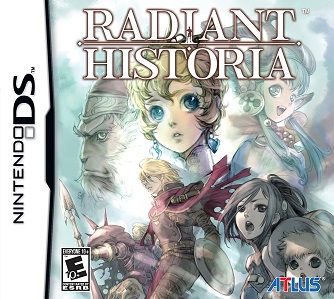 Download Game Topic
5574 - Radiant Historia (USA)(LameFuck)
XXXX - Radiant Historia (USA)(Iron Chefz)Known AP:
Download Game Topic
5574 - Radiant Historia (USA)(LameFuck)
XXXX - Radiant Historia (USA)(Iron Chefz)Known AP:
-Save Issue
-Replay the scenario just before they meet with the spy over and over again.
Works On:
-Supercard DSTWO (EOS 1.09)
-AKAIO 1.8.0, 1.8.1 (Activating Bypass AP Feature)
-AKAIO 1.8.5 (Default Settings)
-Wood v1.24 (With Patched Rom - Check Buttom for Patch)
-TTMenu/YSMenu v6.50
-CycloDS Evolution v2.1 (With Patched Rom - Check Buttom for Patch)
-M3i Zero (With Patched Rom - Check Buttom for Patch)
-(i)EDGE v2.1 (With Patched Rom - Check Buttom for Patch)
-No$GBA (through BIOS)
Not Working On:
-CycloDS iEvolution v2.1
For PrePatched ROM, look at either game download topicRetroGameFan Radiant Historia AP Patch v1.0
RetroGameFan AP Patch - FiletripExtract both files and copy game to the same folder
Drop game onto openpatch.exe
Click Yes
Click OK
Patched game will be the .nds and backup will be the .BAK
C
Anyone else having trouble running this on their R4?
I
Replying to #2
try using the ap patch
I've tried and still a no go..guess i'll have to wait for another patch or something.
I
Replying to #4
what r4 are you using because you can try using ysmenu
r4 vs1.18 that ysmenu looks complicated to install ><
J
Is it just the iEvolution, or does it not work on regular CycloDS also?
I
it is not, first backup everything from your card and format. then you just need to download the file from the ttmenu/ysmenu topic in flashcart help. then extract it and open the folder dstt dstti ysmenu. than just copy the files ttmenu and ttmenu.dat to the card and than copy your games and sav files
Post Merge: [time]1298435279[/time]Replying to #7
its basically the same firmware so it should not work on evo either. ill keep it in not working untill someone tells me otherwise
Finally got it working. Thanks iluvfupabrugers for the quick replies and help.
I
Replying to #9
good to know :)
Anyone already tried this on EDGE?
M
Works on Desmume! ;)
Y
Anyone gotten this working with no$zoomer? Every permutation of booting it I can think of either gave me a blackscreen on startup(when booting directly, both encrypted and decrypted and with and without the patch) or caused the sound to spaz out and eventually just crash the emulator(when booting from the bios encrypted/decrypted and with/without the patch). I'm hoping it's just the dump or something weird happening.
D
caletn · #9Finally got it working. Thanks iluvfupabrugers for the quick replies and help.
Hey! YSMenu is really old. You might want to try wood. It has an acekard like interface which looks really awesome and it works with all new games without patching. All you need to do is extract the contents of the rar to the root of your micro sd and you should be good to go. You can download the latest version here: http://www.r4wood.com/Kernel/f/Wood_R4_v1.24.rar
Use the patched rom with it.
Replying to #14
Actually both the YSMENU/TTMENU and Wood are updated at least 2x a month or depending on certain situation. The latest YSMENU is v.6.50 which was released yesterday/today, While Wood v.1.24 was last released early February and waiting for the newer version soon. :)
Can anyone describe what exactly happens on the AP? When does it kick in?EDIT: Nevermind, just found it.
T
iluvfupaburgers · #8it is not, first backup everything from your card and format. then you just need to download the file from the ttmenu/ysmenu topic in flashcart help. then extract it and open the folder dstt dstti ysmenu. than just copy the files ttmenu and ttmenu.dat to the card and than copy your games and sav files
Post Merge: [time]1298435279[/time]its basically the same firmware so it should not work on evo either. ill keep it in not working untill someone tells me otherwise
i'm still having trouble with this and my r4. i guess my issue is what should the files on the flashdrive be? just games folder, ttmenu folder, ds_menu.dat, ds_menu.sys, ds_mshl.nds, and ttmenu.dat?
or do i have to get rid of some of those files?
Replying to #17
Update your ttmenu with the latest one from the Flash Cart Section: http://forum.romulation.net/index.php?topic=43121.0. Its now v.6.50; follow the guide in the download READ ME text document. And use the patched rom.
prectorianUpdate your ttmenu with the latest one from the Flash Cart Section: http://forum.romulation.net/index.php?topic=43121.0. Its now v.6.50. And use the patched rom.
i never had a file named "ttmenu" until i downloaded that patch so i feel i'm just adding files and not replacing them. before i downloaded that patch the files i had were _system_ folder, games folder, moonshl folder, ds_menu.dat, ds_menu.sys, and ds_mshl.nds
so in other words i don't think i actually updated anything, just added more files
Replying to #19
TTMENU is a secondary firmware that will resolve old cart issues that can't play the newer games cause the new games got AP in it that need to be resolved using offsets to bypass it; which is what TTMENU a.k.a YSMENU is for. You need to read the READ ME text in the downloaded file and the guide in the topic link's page 1 that I gave earlier. Or ask the topic host 'iluvfupaburgers' for assistance on how to install an appropriate one that meet your cart type. There are lots of R4 types, and based on the files you mentioned its a clone version of an R4.
I really suggest you download the latest version and open it, in it you can see several folder, use the appropriate version that meet your R4 type and follow the instructions in it. If you have problem, ask in the forum page that I linked earlier. I don't have a clone R4, mine is an original R4, its different. Good Luck. :)
Showing posts 1–20 of 79 · This discussion is archivedBack to top
