
 I'm not sure if the game itself caused the error or if it was something else, but I'd really like to get it back to normal. Any ideas?Thanks.Edit: was able to fix by wiping the screen with turboengine's window (?)
personuserOP
#1
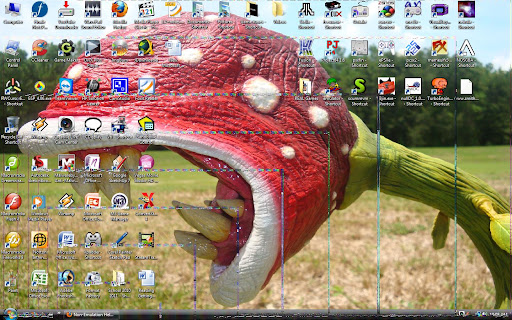
So, I was playing Castlevania Chi No Rondo in TurboEngine (I usually use ootake for TG16, but It won't load cues of CD games from anywhere besides a disk drive) and it was fine. Then, right before I exited on the menu screen, something strange started happening with my computer, whenever I did something that used visual effects (like minimizing a window) I got a ton of corruption on my PC screen.This is what happens when I minimize a window:I'm not sure if the game itself caused the error or if it was something else, but I'd really like to get it back to normal. Any ideas?Thanks.Edit: was able to fix by wiping the screen with turboengine's window (?)
I'm not sure if the game itself caused the error or if it was something else, but I'd really like to get it back to normal. Any ideas?Thanks.Edit: was able to fix by wiping the screen with turboengine's window (?)