Back to Technical Help
URGENT! R4 NOT SHOWING GAMES!!!
Q
I was upgrating my kernel, then turned r4 on. I used to have about 50 games. now its only 22. I formated several times, trying for HOURS to fix this. The games USED to work but its not working anymoreplease help
L
try putting them in different folders.
Q
Replying to #2
Nope didnt workl. When I go its all gibberish
are you sure its the right firmware?
Q
Replying to #4
I tried 1.23, 1.24, 1.25.
Are you using an R4 SDHC? Because I believe those are for that and not the regular R4
What firmware were you using when it worked correctly?
Replying to #5
Replying to #6
Well this is the story,,,
I had it working fine (1.24 I believe) then I told my dad that the usb is not recodnizing iy. it never had. He suggested formatoing it. I agreed cause I do it usually every 3 weeks. So I do it then noticed 1.25 was out. I did it but the themes never worked. So i DOWNGRADED to 1.24 Then everything went to gibberish. I Formatted then downgraded AGAIN! Nothing is working!
ANd yes I have a 8gb sdhc
Wow, that is odd. Is there a chance your copy of the 1.24 backup on your PC some how got corrupted? I would try to download a fresh copy of the 1.24 firmware again and put it on the card after another format.
A
Backup and format, then reinstall firmware.
Q
Jiminy Crickets · #8Wow, that is odd. Is there a chance your copy of the 1.24 backup on your PC some how got corrupted? I would try to download a fresh copy of the 1.24 firmware again and put it on the card after another format.
Not rally causee I downloaded it new every time.
When I plug it in to my pc it shows????
A
It's just the firmware then. Try removing every file, then reinstall the firmware.
Q
A
Did you do it or?
Q
Replying to #14
I formatted it, then again, then a quick one, then again. This is what it looks like
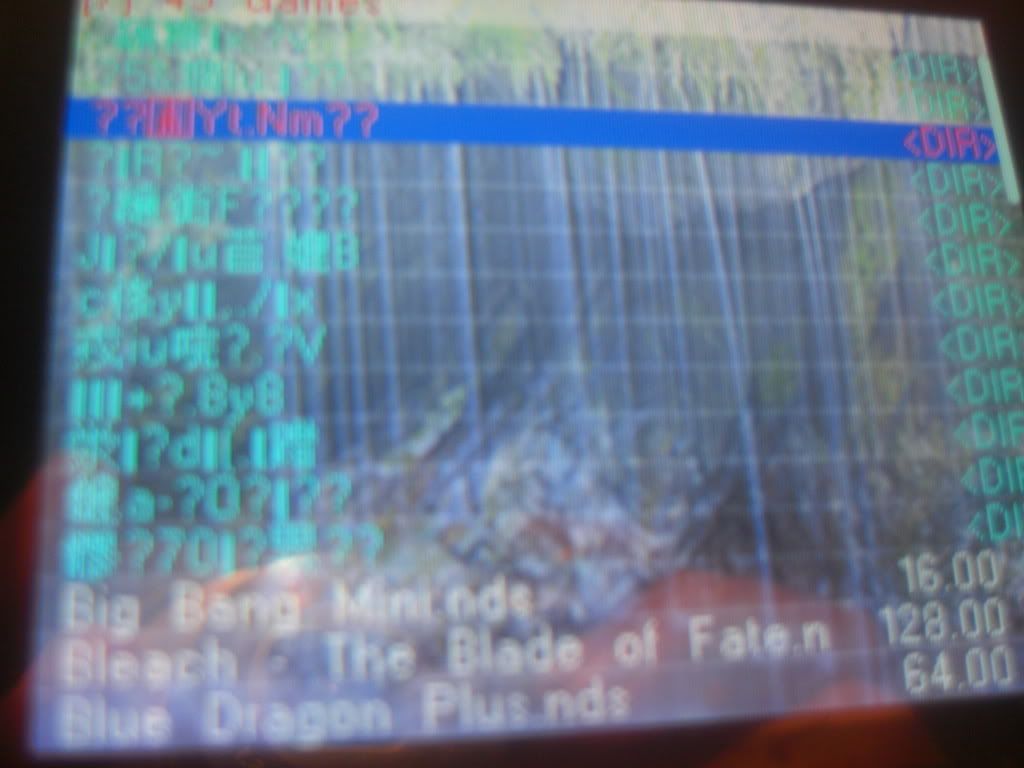
Sorry for blur, its hard to concentrate on small wrighting.
Do u have an r4?
if so send me your file by email (
[email protected])
Try running chkdsk on your MicroSD.
G
by any chance are you using windows vista?
Apparently the new update for it has been causing troubles for USB transfering...
Even for uncommon MP3 players...
S
By the look of those filenames, and the fact that reformatting is causing the same issues, I would say your card itself has become corrupted. You mentioned you format every few weeks? You should never have to do that, and such frequent formatting, especially if you do the full format instead of quick format, will decrease the lifespan of your card by a huge amount. Format it once, when you first get it, then never do it again, unless you need to change the file system for some reason. (Using it in a camera, cell phone, etc.)<edit>
As Anandjones said, run chkdsk on your card, too, just in case. It's possible that will fix corruption in the card without having to go buy a new one. If that doesn't work, I would suggest picking up a new 2GB card, they're like $12 from Walmart, and seeing if that works. If so you know it's your card. If not, it's a problem transfering the data.
</edit>
A
If it still does it, consider buying a new MicroSD yes.
K
I'm the user of R4SDHC and EDGE sometimes have the same problem
Why? because you play it too long
it's overhear and cause the data to deleted
to fix it, you can easily try to control yourself
seriously man, when some data was deleted, or gone, there gonna be 2 cause:
1. When you day dreaming you delete it
2. When you play the game crash, or when saving it taking long time (except Animal Crossing of course)make sure you got Recovery software like: GetDataBack for FAT, etc
you want it? GOOGLE IT! now Scams!
Showing posts 1–20 of 28 · This discussion is archivedBack to top