
PrectorianOP
#41
Forum archive
Back to Tutorials
[TUTORIAL] Citra 3DS
PrectorianOP
#42
Neon32
#43
i just read their post. Its really awesome . Great Progress !!For those who are too lazy to read the official post :
- This doesn’t rely on Nintendo’s server and does not require a Nintendo Network ID.
- While on a real 3DS you’d be limited to the people in your immediate vicinity, Citra can help you find people across the internet.
- Users won’t have to worry about desyncs, synchronizing saves, or any other issues typical of netplay.
- Currently, servers created in Citra can hold up to 16 players.
- Only a handful of titles work properly with this.
PrectorianOP
#44
Think I'll re-provide 2 useful tools for Citra users, despite I've checked the previous posted links still work fine;1. decrypt /encrypt tool for game rom in .3ds format : CLICK HERE
2. convert & other useful tool for game rom in .cia/ .3ds/ .cxi / .cci format : CLICK HERENote :
a. figure out how to use these yourself, it's easy to operate
b. don't ask for my technical assistance
c. since I didn't develop them, don't direct any complain to me
d. if some rom fail to decrypt or encrypt, that's only natural - not all are supported
e. if you have a 3ds/2ds handheld, tool no.2 would be useful for certain tasks
2. convert & other useful tool for game rom in .cia/ .3ds/ .cxi / .cci format : CLICK HERENote :
a. figure out how to use these yourself, it's easy to operate
b. don't ask for my technical assistance
c. since I didn't develop them, don't direct any complain to me
d. if some rom fail to decrypt or encrypt, that's only natural - not all are supported
e. if you have a 3ds/2ds handheld, tool no.2 would be useful for certain tasks
lildil
#45
Umm CIA_To_3DS_Converter_Single_Pack is password protected? But I cannot find the password posted anywhere?? Help Please
PrectorianOP
#46
Oops!! I must have accidentally added password protection there. I've replaced the link with a new (no-password) one : CLICK HERE
lildil
#47
Thanks heaps
PrectorianOP
#48
Citra can now run encrypted and decrypted .3ds rom. But need additional file placed in the "user" folder. Making any rom in RomU that is .3ds extension able to run well on the emulator. Thanks to Jhon591. ;)Also decrypted .cia can now be played on Citra. As well as add .dlc and updates (for now decypted .cia format only!).- Might not apply to all roms though! -Note:
The previous 'user' folder file doesn't have ability to run encrypted .3ds rom. While running decrypted .cia is supported by Citra release posted after 3rd week of August 2018 onward.
The previous 'user' folder file doesn't have ability to run encrypted .3ds rom. While running decrypted .cia is supported by Citra release posted after 3rd week of August 2018 onward.
Dark Infernape
#49
Sweet :)
Dark Infernape
#50
Been using Citra to play Alpha Sapphire for a few days now, man this thing runs flawlessly, and there was not even a single crash. Gotta love how they let people connect to others through a server, which fools the game into thinking they are in proximity to each other, which lets you make use of the Local Battles and Trade features. Tried KHDDD, the two bravely default games, Samus Returns, DQ8, Persona Q and they all run fine <3
PrectorianOP
#51
18-19 Sept Update might have some changes to the gamepad script. In case your gamepad fail to be detected/function when run using the previous config posted a few pages back. Just go to the in-app/emulator config window, and remap your buttons manually.
Neon32
#52
For people who are trying to solve the "Region Manifest is Missing" or "System Archive Not Found" message/error : Video TutorialText Tutorial
Steps:
1.Download the .7z archive from the link( by Prectorian) given below
like this : 3.Thats it. All these errors should have been solved now.
Video TutorialText TutorialSteps:
1.Download the .7z archive from the link( by Prectorian) given below
Prectorian · #39Download : Click Here2.Extract the folder from the archive and copy and paste the "user" folder to the root folder where "citra.exe" is present.
like this :
Spoiler: location of user folder
Neon32
#53
How to receive mystery gift in any 3DS Pokémon game in Citra Emulator
PrectorianOP
#54
Mii Maker (provided by : Nintendo films:yodakiller3000)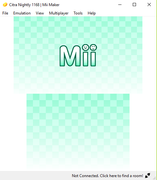
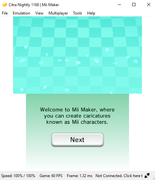
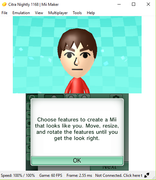 Download Link : CLICK HERENote:
Download Link : CLICK HERENote:- You'll need the Citra_Home_Folder to use with this.
- Place this Mii Maker in the same folder as the game roms, so it get detected and listed inside Citra Emulator.
- Needed to generate in order to play certain games with Mii features.
Dang3rBoy
#55
Where do i get Citra Home Folder
PrectorianOP
#56
Check Neon32's post above.
Dang3rBoy
#57
How do i use citra home folder with mii maker. Ive tried putting mii maker in the same folder as citra home folder but it does not work BTW: i dowloaded it and it came out as a notepad. What am i supposed to do.
PrectorianOP
#58
Read properly what I wrote in my previous posts, and what's in Neon32 post. I never mention putting the mii maker.app in the home folder.
I've never played Animal Crossing Amiibo before, so I can't help you set it up. It's straight forward stuff, just pay attention to details.
Good luck.
I've never played Animal Crossing Amiibo before, so I can't help you set it up. It's straight forward stuff, just pay attention to details.
Good luck.
Neon32
#59
How to Trade Pokemon in any 3DS game in Citra Emulator
This method works with all the pokemon games like : x, y, sun, moon, ultra sun and moon, omega ruby and alpha sapphire.
This method works with all the pokemon games like : x, y, sun, moon, ultra sun and moon, omega ruby and alpha sapphire.
Showing posts 41–59 of 59 · This discussion is archivedBack to top