
EDIT: PROBLEM FIXED! Click the spoiler below if you have the same problem I did! Can't find compatible firmware! :'(
Spoiler
For R4 SDHC Revolution (NDS/NDSL) users.1. The kernels R4SDHC v1.34 or v1.32 might not work well for your card, so go to http://www.linfoxdomain.com/nintendo/ds/ and download R4SDHC_R4_v1.34_English.rar 29.46 MB instead!2. Open the above firmware and delete everything except for these files: _system_ folder (keep all the files inside!), _DS_Menu.DAT, and _DS_MENU.INI.
[Delete: _DS_MSHL.NDS, _PATCH, R4_PANDORA.NDS, r4dldi.dat, moonmemo folder, moonshl2 folder]Create a "Game" folder and insert your backed up DS roms.3. Go to http://forum.romulation.net/index.php?topic=43121.0, download the latest RetroGameFan Multi Cart Update, and copy the TTMenu folder, TTMenu.DAT, and YSMenu.nds from the R4-Clone YSMENU folder.NOTE: Use the same link http://forum.romulation.net/index.php?topic=43121.0 to get the latest DAT files for the TTMENU folder that need to be replaced as YSMenu.nds gets updated. This allows you to play the latest games.How to use: Turn on DS, load YSMenu.nds, choose a DS game to play.
[Delete: _DS_MSHL.NDS, _PATCH, R4_PANDORA.NDS, r4dldi.dat, moonmemo folder, moonshl2 folder]Create a "Game" folder and insert your backed up DS roms.3. Go to http://forum.romulation.net/index.php?topic=43121.0, download the latest RetroGameFan Multi Cart Update, and copy the TTMenu folder, TTMenu.DAT, and YSMenu.nds from the R4-Clone YSMENU folder.NOTE: Use the same link http://forum.romulation.net/index.php?topic=43121.0 to get the latest DAT files for the TTMENU folder that need to be replaced as YSMenu.nds gets updated. This allows you to play the latest games.How to use: Turn on DS, load YSMenu.nds, choose a DS game to play.
Hello! I'm having a very tough time finding the right firmware for my flashcart.
I have an old flashcart that looks like this (except the case is gray):
 I found the above flashcart a few years back with games and firmware already inside the 2 GB SanDisk microSD card. It worked. Since then, I've used the microSD for other purposes and I think I accidentally backed up the firmware incorrectly.Now on my black NDS lite, the menu that once looked something like this...
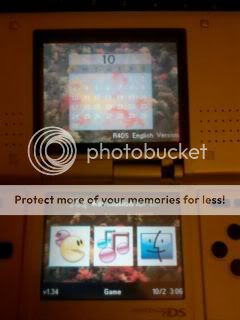 ...now shows purple/dark-blue top and bottom screens. The Game, Multimedia, and Boot Slot-2 buttons are invisible, but still work, and so do most DS games I've tried. The Top screen has the words in black "R4DS English Version" on the bottom right portion.My trouble is getting any theme to show correctly, and to get YSmenu or WAIO to work, if possible.This is what I have tried so far:
http://forum.romulation.net/index.php?topic=53771.0
I tried the TTMENU for both R4 clones and R4 SDHC
http://forum.romulation.net/index.php?topic=39701.0
I tried WAIO on CoolK3ller's topic.
Also this: gbatemp.net/threads/retrogamefan-updates-releases.267243/Thanks in advance! Any suggestions are greatly appreciated! I don't want to have to buy a new flashcart if there is a way to salvage this one again.Edit: I needed to install R4SDHC_R4 v1.34 firmware instead of the R4SDHC v1.34... I couldn't find that info anywhere else so I hope my problem will help others in the same situation.