Back to GFX Competitions
SOTW #3
A
Welcome to the third sotw contest.The winner of SOTW #2 is Devon-chan. Congratulations!This week's theme:
8 bit retrogamesEntries will be closed at Saturday August 27th
D
Ah yeah. My computer had a fart and I had to reinstall windows. I might not get enough time to reinstall Photoshop and submit, so good luck to whoever enters.Working on it.
S
What do you mean 8 bit retrogames ._.
D
Generally means 3rd Gen games. NES and Sega Master Systems games and stuff.
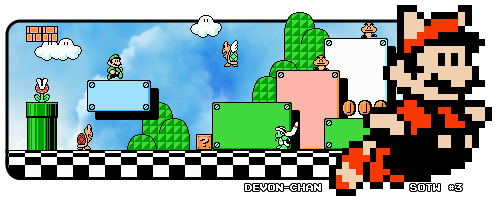
I didn't even know what to do with the stock so I just did a simple Gradient and Lighting~
Ignore the fail text

Replying to #5
Did you steal it?
Replying to #6
No why? If its cuz of the text o-o-
I'm sinnoh on ogp forums http://nforum.ogplanet.com/rf/member_profile.asp?PF=686138&FID=75
Its k I understand why you would think that ._.
K
damn, both of those are pretty good o.o
L
When does this close?
K
Replying to #11
tommorow if i read the post right
Looking good, but Pikachu~ yours is kind of blurry and fainted.@Honest: You could probably make your pick a bit narrower, adjust the images scaling.
K
i fucking need to know how to use photoshop to make stuff like this._.
2
We have all of the available tutorials and rendering sites ------->>>>>
Here...I used 420 by 300. Is that not right ?
Post Merge: [time]1314393698[/time]lewis9191 · #13
Replying to #17
[color=navy]I usually make sure my sigs' width is always 450 so its big enough, but yours will do fine. Just make sure you complete each layers seperately before merging them together in the final piece.
[quote="2DamCerius"][color=navy]I usually make sure my sigs' width is always 450 so its big enough, but yours will do fine. Just make sure you complete each layers seperately before merging them together in the final piece.
[/quote]I did
S
2DamCerius · #14Looking good, but Pikachu~ yours is kind of blurry and fainted.@Honest: You could probably make your pick a bit narrower, adjust the images scaling.
oh really? I'll try to fix that :o
Showing posts 1–20 of 25 · This discussion is archivedBack to top
