S
Here' the problem im playing on my r4 earlier and i turn it off and when i open it, an error has occured pop-up and i try to restart it several times still didn't work what could be the problem?
EDIT 1:
(I already updated my flashcart to V4.5 and my 3DS version is v4.5 and my flashcart come from this website
CLICK)
EDIT 2:
(When i test it on my ds lite just stays on white screen)
EDIT 3:
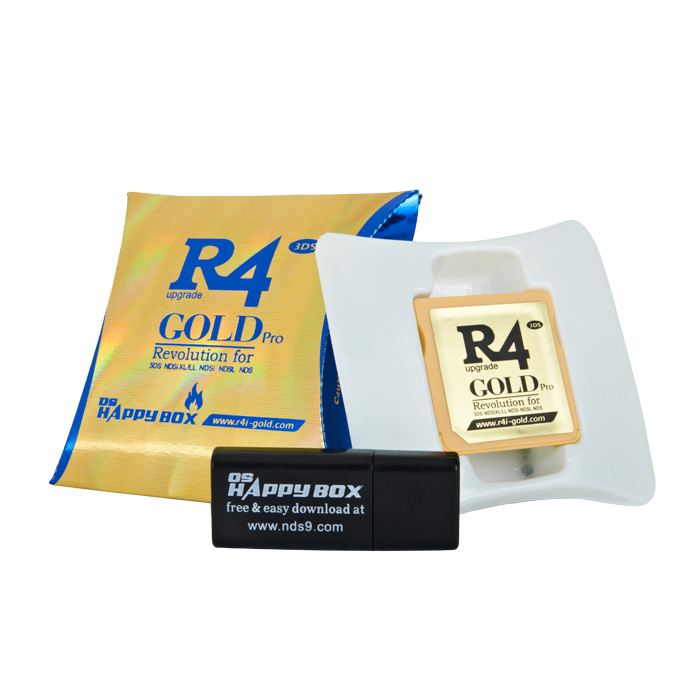
Here's the pic for my cart.
Spoiler
Any help would be appreciated.
Sorry for my bad english.Your link doesn't work.As for your problem, you're probably installing the firmware wrong.
Have a look here: http://forum.romulation.net/index.php?topic=61076.0
S
Replying to #2
hey i just updated my problem and the link works now and nope i didn't install any firmware because my flashcart is already updated on v4.5
Replying to #3
You still need to install a firmware (they're calling it a kernel).
Download
this, and follow the guide below.
Flashcards - A Guide for N00bs & The ConfusedWhile each firmware is different, the way to install it is the same.
In the spoiler is a universal guide on how.Spoiler
Step 1: Download the firmware from your cards website. Make sure it is your firmware for your card (there are loads of cards with the same name, and most sites will host two or more different firmwares (for their other cards)).
Step 2: Once the firmware is downloaded, extract it. Most will come in a RAR archive. It's pretty easy to extract RAR (just Google it!).
Step 3: Now you should have a few files and folders. If there is only 1 folder when you extracted it, go into that folder. The stuff you need should be in there. Now copy those file to the root (the F, E, G drive etc.) of your MicroSD card.
Step 4: Put your MicroSD in your flashcard and put it into the DS, DSi or whatever you are using. Now you're done.
Replying to #4
I already installed the kernel too :( It was working before but when i re-open it an error has occured pop-up.
Replying to #5
Try formatting your SD (backup your games) and re-installing the kernel.
Replying to #6
Ok ill try it. i'll report back and see what happens.
Post Merge: [time]1375181569[/time]Replying to #6
Still the same problem... :( Should i try another micro sd?
EDIT:
I Just use another micro-sd still the same problem occurs this is pissing me off. :'(
I was reading this on my smartphone and thought of pitching in a bit even though I don't have that cart;1. Recheck recent downloaded kernel/firmware from official site
Have you made sure the file you'd acquired for your cart's kernel/firmware is the correct version from that site? There seems to be 2 cart that looks almost the same. Be careful since it could be your case is the same with this one : http://forum.romulation.net/index.php?topic=61970.0
Using a wrong set of upgrading file/kernel/firmware could cause the cart to fail.2. There's a chance your flash cart is dead/broken
Though some might argue that such issue rarely occurs, but any electronic devices can eventually die out due to over used. Since as you'd accounted, you'd tried using alternative SD Micro and even ran it on your older console, and it still doesn't work. Thus it's very unlikely the failure as due to bricking/blockage.In reply no. 4, what was the error message that appeared? Was it "Turn off your console,....bla....bla...."? And on which console did it appeared? The NDSL/3DS? Since you said the screen was white when loaded. Do elaborate in detail.
S
Replying to #8
The kernel i download is the 2012 version not the 2013.
Replying to #8
I was playing it before. But when im going to play it again an error occurs.
Replying to #8
In the 3DS an error has occured appeared. While the NDSL just stays at white screen.
Replying to #9
Then it might be likely the flash cart is spent, thus might need to buy new one.