A
Hello, I understand that this is my first post, I just have an issue I need help with.
I am completely new to this whole emulator thing, and I understand almost nothing about it.
I own a Mac(Aluminum unibody 10.5.6) and just downloaded Visual Boy Advance(1.7.4) for Mac to my computer.
While messing with it, I learned that Rom's are the games. I set out to find a pokemon game since that's all I really want to play on it.
For some reason, when I go to open the rom, it says:
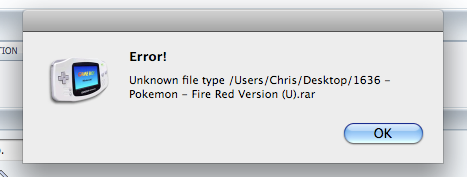
I tried Silver as well.

After I click it, it asks me to choose an application to open it with, but I don't know what to pick since Visual Boy Advance is grayed out.
I noticed that there's usually issues with pokemon games while I was browsing the forums, but this looks to me like it's just my stupidity :p
Heh... Some help would really be appreciated. If there's anyone willing to walk me through the process, I'll be on MSN messenger and AIM messenger. My handles are in my profile.
I apologize if double posting is a terrible offense here, but i figured this update deserved to make it's way into the new posts section.
I posted this message on another forum. Someone told me that in the first screen shot I was trying to open a file that hadn't been unarchived yet.
Here's the post and my response:
jmann4489;7085654I see in the first screen shot that you are trying to load a .rar file into the emulator. .rar is a compressed file like .zip, and it needs to be unarchived. You can find rar unarchiving apps on google.
Wow, what a quick response.Hmm, I really want to play silver/ crystal, but let's tackle this one step at a time.New questions :)Thanks for the advice. I figured everything was being done right since files usually extract themselves when I double click them. (That may also explain my torrent problem I've been having :p)I downloaded The Unarchiver 1.6.1 from the apple website.It unarchived my file, and when I opened VBA and selected it, it launched successfully!So, when it launched and went to the start menu, I realized I didn't know what my start button was. I had to close the rom to change my button settings. when I closed the rom, this screen popped up: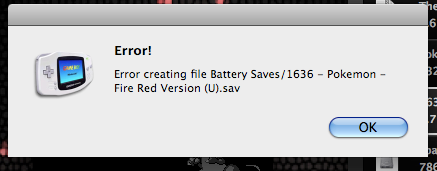 I have no clue what happened there. Was it trying to save my game? I can only guess since I don't know how to save rom games yet.Next, I attempted to configure my rom settings. I figured that out, but when I closed that window, another pop up came up...:
 Any kind of help is appreciated.
http://www.brothersoft.com/winrar-for-mac-125813.html
Download that file (I haven't checked it, I hope it's what I think it is.) The site claims it's a program called WinRaR, a program that can open files that end in .rar, .zip, and .7zip. After using that program on your .rar file, there will be a .rom file inside of it, as well as probably a .txt file. Run the emulator and open the .rom file in it and BAM you're playing Pokemon FireRed