Back to Technical Help
[NDS] Ace Attorney Investigations 2 (J) AP Topic + Roms
M
Ace Attorney Investigations 2 is out! Well, the Japanese rom, so Gyakuten Kenji 2.
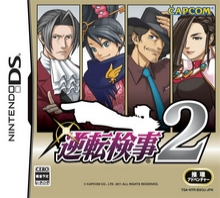
Rom Number: 5531
Official Release Date: 02/03/2011
Rom Release: 02/02/2011
Release Group: BAHAMUT
Download Size: 64 MB
Trailer:
http://www.youtube.com/watch?v=SiXsoMSfHs8Download Clean Rom
http://www.filesonic.com/file/73563734/5531.rarDownload Patched Rom
http://hotfile.com/dl/101321211/a656d84/ds-gk2-j-p.zip.html Thanks to Richgar12345AP: - Text issues (Borginian Text instead of Japanese)
- Freezing issues when saving
Works on:
DSTT(i) and YSMenu with this files
http://loda.jp/dsm/?id=431 Thanks to Jhon591 How to get it work:
Spoiler
Just rename the download to a .rar File and Unpack. Replace this files with the one for your DSTT and YSMenu. It should work Clean now.
No$GBA with No$Zoomer
Spoiler
DesMUME 0.9.6
Doesn't work on:
WoodR4 with firmware 1.23
Acekard with AKAIO 1.8.5
Manuel HEX-Edit Thanks to Jhon 591Spoiler
0x00004640

00 00 9F E5 1E FF 2F E1 CF B3 00 00 00 00 9F E5
1E FF 2F E1 77 B1 00 00 07 40 2D E9 1C 00 9F E5
1C 10 9F E5 00 20 91 E5 02 00 50 E1 14 00 9F 05
00 00 81 05 0C 00 80 02 3C 00 81 05 07 80 BD E8
F0 32 0F 02 D4 1B 0F 02 40 27 00 02

0x000049F8
16 FF FF EA
More Info, Screens and More Download Links:
http://forum.romulation.net/index.php?topic=52595Please inform in this topic, if it's working on your Emulator/FlashCard and so on, to add it to the list.
AP has been foundTwo in factAP1- Borginian Text instead of japanese text also screws up descriptions by cluttering it with XXXXXXXXXXXXXXXXXXXXXXXXXXXXXXX
AP2- Upon pressing start to save game, Freeze hang.
M
ok thanks I will add it to the list
R
I have to admit Borginian text issue made me laugh a bit, Edgeworth now knows Borginian apparently.
M
OK , so no AP except of Freezing? :D
J
http://r4ds.uueasy.com/read-htm-tid-15651.htmlRom's up-to 5531 temp fixed until retros nextrename download to .rarhttp://loda.jp/dsm/?id=431See changelog inside for list of games added, also with thanks to retro for full fixes and DSTT for new Temp fixes, until fully fixed by RGFIf nintendo logo freeze and you know how to use TTdT.exe to edit extinfo.dat / then change 023806b8 to 02380668 save it, and give the extinfo.dat anuther try!
R
http://hotfile.com/dl/101321211/a656d84/ds-gk2-j-p.zip.html
Pre-patched romNo Borginian Text anymore and saving also works now!Have fun - found at DevilShadows forums.
J
ROM Manuel patch, With hex-editor, HxD is good! http://www.pendriveapps.com/hxd-portable-hex-editor/
0x00004640

00 00 9F E5 1E FF 2F E1 CF B3 00 00 00 00 9F E5
1E FF 2F E1 77 B1 00 00 07 40 2D E9 1C 00 9F E5
1C 10 9F E5 00 20 91 E5 02 00 50 E1 14 00 9F 05
00 00 81 05 0C 00 80 02 3C 00 81 05 07 80 BD E8
F0 32 0F 02 D4 1B 0F 02 40 27 00 02

0x000049F8
16 FF FF EA
Using Wood r4 1.23 with the patched rom, when I load the game, the Loading Text turns purple and when it finishes loading I get an Error message in Japanese.Edit: I get the same thing with the Clean Rom, and the game crashes upon loading in No$ or No$ Zoomer.
D
Jhon 591 · #6http://r4ds.uueasy.com/read-htm-tid-15651.htmlRom's up-to 5531 temp fixed until retros nextrename download to .rarhttp://loda.jp/dsm/?id=431See changelog inside for list of games added, also with thanks to retro for full fixes and DSTT for new Temp fixes, until fully fixed by RGFIf nintendo logo freeze and you know how to use TTdT.exe to edit extinfo.dat / then change 023806b8 to 02380668 save it, and give the extinfo.dat anuther try!
You are awesome. It's working on my DSTTi clone, no freezing, perfect saving and no Borginian.
Replying to #10
Your welcome!! , Thank dstt!
RGF should have a defalt root witch can be better!
The borginian people are so lucky...
M
Edited first post, hoping everything is now in it. If not please inform me :D
J
Replying to #13
The dat's in this package extinfo.dat/infolib.dat Re-Placed into the TTMenu folder will play ROM clean for DSTT/YSMenu users
Rename download ending to .rar
http://loda.jp/dsm/?id=431
Hope this helps MichaRulez !
Confimed by DeMatador!
okay added thanks again
J
Darkspine · #9Using Wood r4 1.23 with the patched ROM, when I load the game, the Loading Text turns purple and when it finishes loading I get an Error message in Japanese.Edit: I get the same thing with the Clean Rom, and the game crashes upon loading in No$ or No$ Zoomer.
Try BIOS methard though no$gba
http://forum.romulation.net/index.php?topic=50586.0
First you will need to run anuther ROM to do the settings
My youtube video to play without encrypting the ROM - should work for most Roms with err
http://www.youtube.com/watch?v=nPwZeVIwV1Q
Ouh man Jhon :D Thank you very much for putting so much effort into this. That's what I call a community: one for all, all for one. Well, added your vid to the first post.
J
Replying to #17
Your welcome! :), I do have to mention that if the game crashes on start right off then you need to run a diffrent game and use the setting and then use this game with them setting!, that should help it!
Thanks Jhon, this method worked just fine. I learned that the hard way, I managed to change the settings while loading AAI2. Quite difficult. @_@ But yeah its working, albeit slightly slow, but this will tide me over til a Firmware update.
J
Replying to #19
Your welcome Darkspine!, You might be able to use the save file from the battery folder and convert it to 512KB save at sunnyweb no$gba (.sav) to ? , Then use it on your DS
http://www.shunyweb.info/convert.php
Hope this might help!
Showing posts 1–20 of 53 · This discussion is archivedBack to top
