RAM (= Random Access Memory) is the working area of your computer. data you are currently working with is stored in RAM (as opposed to disk, which is long term storage). The more ram you have, the more data you can work with at once. Seph is correct in that ram is always in multiples of two.
RAM comes in modules of different capacities, the capacities add up to make your total, as in your case I suggested you might have 3 modules of different capacities, a 128MB, a 64MB and a 32MB. There are other ways you could have this total, e.g you could have 3x 64MB modules and a 32MB. Most computers have four RAM slots, some have two.
There are different types of ram (EDO, SDRAM (what I think you have), DDR SDRAM, DDR2 SDRAM, DDR3 SDRAM and RDRAM) EDO is never used anymore; that is what you used to find in computers with 286/386 processors. SDRAM is also rarely used, although a number of pentium 4 boards used it before DDR SDRAM gained popularity. DDR2 and DDR3 are just newer variants.
RDRAM is never used, it was a standard Intel invented to compete with DDR SDRAM and it lost out, mainly because it was unreasonably expensive, although some early P4 boards take it.
With the exception of RDRAM (which is about the same speed as DDR SDRAM), the RAM types I listed get faster from left to right. All these standards are incompatible, so if your computer takes SDRAM you cannot put DDR2 SDRAM in it.
if I am correct in assuming your computer takes SDRAM (I'll tell you how to check further down) then your computer's performance will be suffering, not just because you don't have much ram (2GB is considered standard these days; about 10x more than you've got), but also because of the speed. Computers are constrained by the speed of the slowest component in them, and while RAM is generally considered to be one of the fastest components, SDRAM is far too slow for a Pentium 4 processor. Unfortunately the only way to correct this would be a new motherboard and potentially a new processor as well.
Upgrading RAM is generally easy, however there are some things to consider. I already mentioned that you have to use ram meeting the same standard as your current ram; also you need to consider form factor (= shape, size and pin layout); desktop computers use a DIMM form factor, laptops use SODIMM. Speed needs to be considered, ram is available in different speed grades, if you get one faster than your board can support it will work fine, but you paid extra for the extra speed you can't use. All RAM modules must be the same speed otherwise they run at the speed of the slowest one. You also need to consider capacity; there is a limit to the amount of memory a board can use, and a limit to the amount it can have in one slot. Additionally, DDRx SDRAM brings the concept of 'matched pairs', meaning RAM modules must be installed in pairs of equal speed and capacity, otherwise it runs at half the speed it's capable of. There other features, such as non-ECC/ECC and Registered/Unbuffered/Fully Buffered. All you need to know about that is you need non-ECC and Unbuffered RAM. The others are for servers.
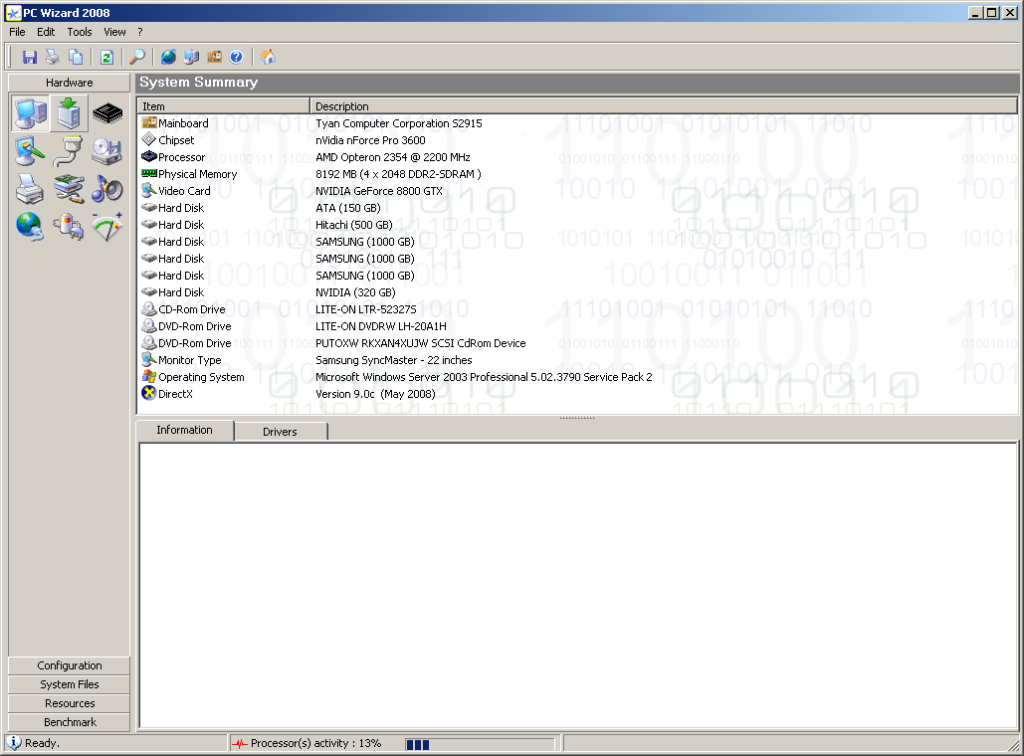
Fortunately, there's an easy way to find out what your computer needs. Download and install PC Wizard 2008 from http://www.cpuid.com/pcwizard.php, then start the program. You will see a screen like the one below; the line 'Physical Memory' will tell you most of what you need to know.
if you need any more information, click the 'motherboard' icon (second from left on the top row) and then select the 'physical memory' line to display further (mostly technical) information about your RAM.
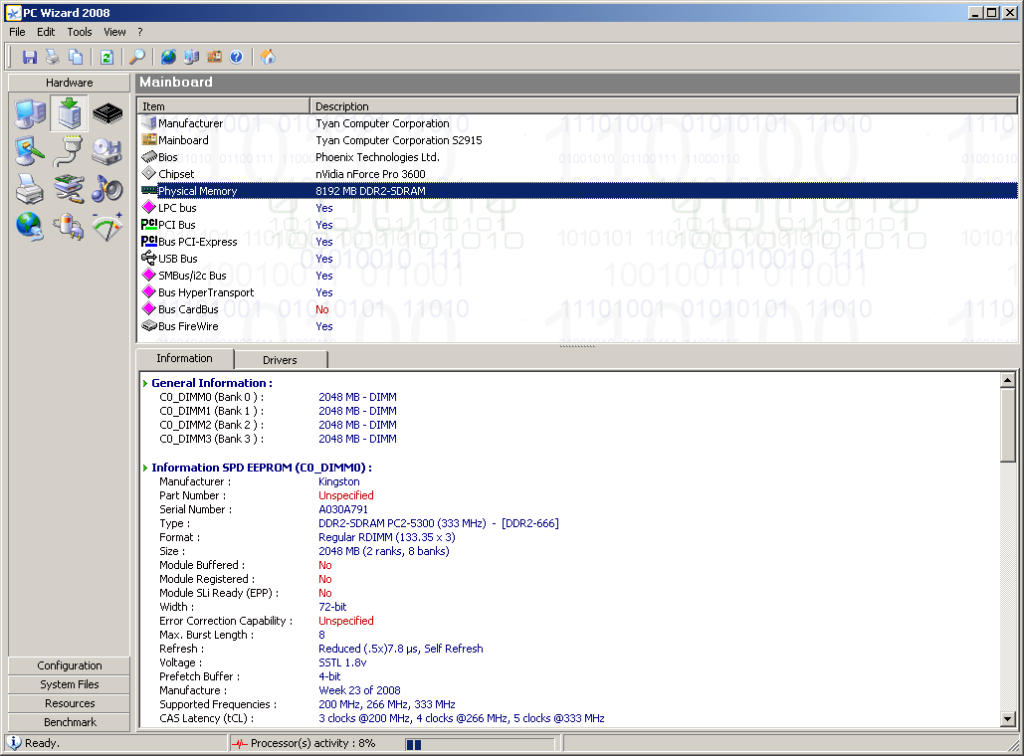
if you post screenshots of those pages I'll be able to help you find suitable upgrade modules.



 so i have 2 only so the maximum is 2gb right?
 (there will probably be only 2) They may contain RAM modules that look like this:
 although I doubt it, although I want to know if they do.What we are actually after is how many slots that look like this: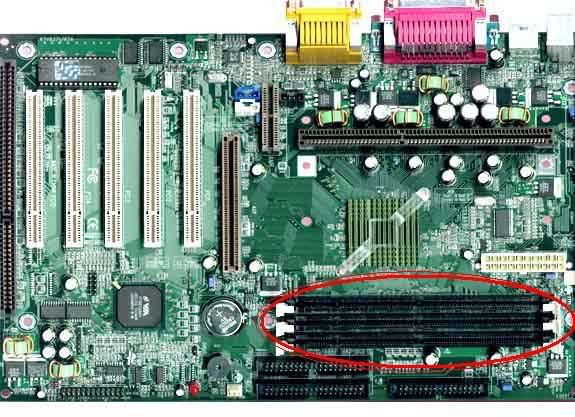
 Note that it has two notches in it, there should be two keys in the slots that fit into the notches. If there's only one in about the middle (as opposed to one in roughly the middle and one near one end) I need to know.