Back to Technical Help
Latest MoonShell 2.10 Stable Child Zwai Edition (Full Package) help
S
I Download Latest MoonShell 2.10 Stable Child Zwai Edition (Full Package) it was a exe and i extract it to the desktop then cut the folder called 201008312320_moonshell210childzwai and paste the folder on the root of my sd card and open the folder and click
set up.exe and i got this.
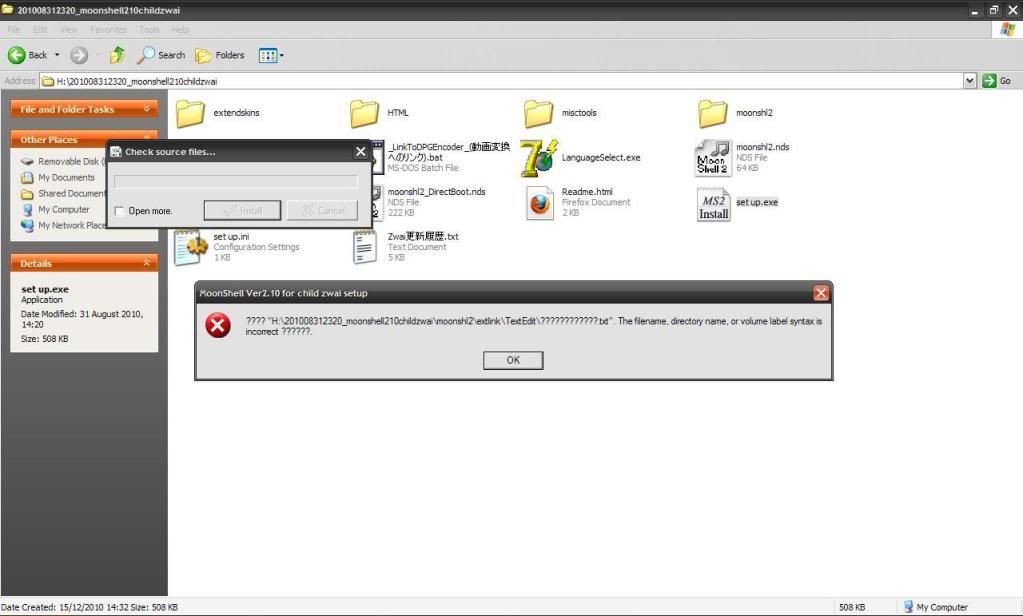
http://filetrip.net/f12830-MoonShell-2-10-Stable-Child-Zwai-Edition-%28Full-Package%29.html
First off all, download it from the official site: http://home.att.ne.jp/blue/moonlight/
Then download: 'MoonShell version 2.10 stable (ZIP) (64.7MB)'
After that, unpack it and only take out the 'moonshl2' foled and the '.NDS' file to load MoonShell.
S
CoolKill3rFirst off all, download it from the official site: www.home.att.ne.jp/blue/moonlight/
Then download: 'MoonShell version 2.10 stable (ZIP) (64.7MB)'
After that, unpack it and only take out the 'moonshl2' foled and the '.NDS' file to load MoonShell.
can you upload it to mediafire or megaupload and the site isn't working
Server not found
Firefox can't find the server at www.home.att.ne.jp.
* Check the address for typing errors such as
ww.example.com instead of
www.example.com
* If you are unable to load any pages, check your computer's network
connection.
* If your computer or network is protected by a firewall or proxy, make sure
that Firefox is permitted to access the Web.
I'm so sorry, forgive me for my mistakes.
This is the right link: http://home.att.ne.jp/blue/moonlight/
S
what about the LanguageSelect.exe and do i have to click it or should i leave it.
C
leave all as it is and do as i said above,
When you boot Moonshell for first time on DS it will ask what language you wanna use!
S
CoolKill3r how do i fix this.can not handle disk formatdisk size is too large,or cluster size is too small.recovery method: try to reformat the card
what a bigger cluster size.Application terminated
C
Replying to #7
Does this happen when you try to load Moonshell?
Also try to format your card.
That's usually an error with the file system, format the SD card with Panasonic SD formatter ;D
Showing posts 1–9 of 9 · This discussion is archivedBack to top