L
The r4i-sdhc team announced that
r4isdhc flashcard labeled "3DS" full supports all version N3DS console (include European version) from 02 Mar 2011.And the
latest V1.38b kernel has been released.The V1.38 kernel supports NDSi V1.4.2 firmware upgrade, it also supports R4I 3DS and R4I series products.Some game problems and DSi V1.4.2 upgrate problems have been solved.How to upgrade r4i-sdhc flashcard labeled "V1.4.1" or "3DS" for NDSi V1.4.2 then?
Step 1. make sure nds fully charged, better with external power pluged.
Step 2. First, reformatting the SD, download the latest kernel 1.38b.
Step 3. Unzip and copy the files(R4iMenu,moonshl2,moonmemo,r4.DAT) to the root of MicroSD card.
Step 4. Download the latest upgrading programs. Unzip and copy the file(fwup142c.nds ) to the root of MicroSD card.
Step 5. Insert MicroSD card into r4i-sdhc card, insert r4i-sdhc card into nds\dsl\dsi\dsixl\3DS
Step 6. Turn on console and press "A" button to run the upgrade file fwup142c.nds. Note:When upgrading the r4i-sdhc card, it is not allowed to turn off power or pull out r4i- sdhc,otherwise it will damage the r4i-sdhc card.
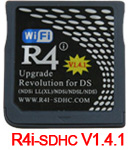

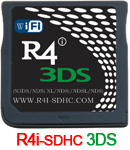
I have the same Cart shown in your post but mine continues to display [MENU?] after displaying LOADING.. can you help? Any ideas?
