T
i just got a new Animè series, and by the replies, i gotta move the audio ahead by 0.900 seconds...how can i go about doing this with VLC media player? these are MKV files...
EDIT: i figured out how to do it, but it didn't fix the issue T_T can someone teach me how to fix the issue with the audio? it's english dubbed, and it's off by a LOT T_T if you need a link to figure it out, i'm uploading now >.>
EDIT:
linkresyncing audio has to be done manually, and its a huge job
P
I know my converter format factory can automatically re-synch audio for videos.http://www.formatoz.com/
T
Loonylion · #2resyncing audio has to be done manually, and its a huge job
awwwww.... i like personuser's better!
Replying to #3
i will try this...if it doesn't work, loony, you gotta teach me to re-sync audio (i'm a fast learner :))
Replying to #4
okay for FF, the option is here:
Errr.....
why?
For whatever reason they took it out of the new version, it used to be in the audio options...
WHY?
Sorry. Guess Loony must teach ya.
Replying to #5
so it was in version 2.30? if so, i found a download >:D if it doesn't auto fix it, i'll do it with 2.30 version >:D
Replying to #6
More like the 1.somethings. I've been with the prog since the start. I remember the very first version fixing some DearS I downloaded from youtube when I added the synch edit. It may do it automatically now tho. Give it a whirl.
Replying to #7
it does do it automatically, but my files are dual-audio, and i can't figure out how to get it to include/use the English audio T_T
Replying to #8
did you make sure you converted it to matroska video? (MKV)
Hmm, odd...what are you playing these with? If you're using anything other than MPC there may be some format issues with the MKV.
T
Replying to #11
hmmm..i'm using VLC, but it works fine with other MKV files..i'm to tired right now, or i'd upload the converted copy :P
Replying to #12
And the subbing/dubbing is via DirectVobSub?
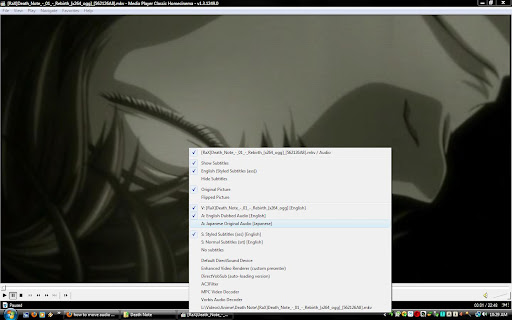
i have no clue what you mean :P here's some screenies of the audio/video track labels...


and also...i think it turned the subs to become part of the video itself =O
EDIT: images failed to load -.-"
Ah. You're not using DirectVobSub. That works with everything.
Example:
Spoiler: big pic
Using MPC you should get this.
Replying to #16
You'd be surprised just what MKV can do.
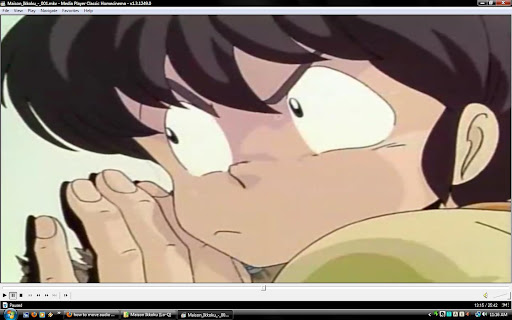
I've got Maision Ikkoku 640x480 as MKVs and each ep is only about 60 megabytes.
Replying to #17
I assure you it's nothing to do with mkv, which is just a container format.
Whether you can tell or not you can tell the difference, no video codec can compress that much without losing a
lot of detail. Do a little freeze-framing and I'm certain you'll see blocking and banding and other artifacting.
Replying to #18
Spoiler: large images
Maison Ikkoku @ 62 megs per 26min episode:
Ranma 1/2 @ 220 megs per 23min episode (similar close-up):
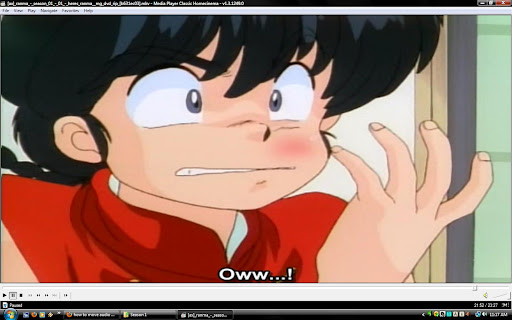
there may be a little more blockiness shown cause I captured as .jpg, but you gotta admit, they're about the same.
The former is noticeably far worse.
EDIT: here, have some
comparison.