T
Hi I need help. I just made an account and I don't know how to upload an avatar. plzz help! ??? ???
K
Hi TazzleProfile> Modify Profile> Forum Profile> I have my own Avatar--------> then, add the linkIf you cannot find the above word, make sure you use the find feature (Crtl+F)Good Luck
T
Just to add to kukuru's instructions..
You do need to upload your avatar somewhere first.
www.imageshack.usor go to www.photobucket.com
Here's some in-depth tutorial for you...
1) Go to Profile
2) Choose Forum Profile under the Modify Profile tab.

3)Choose "I have my own Picture"
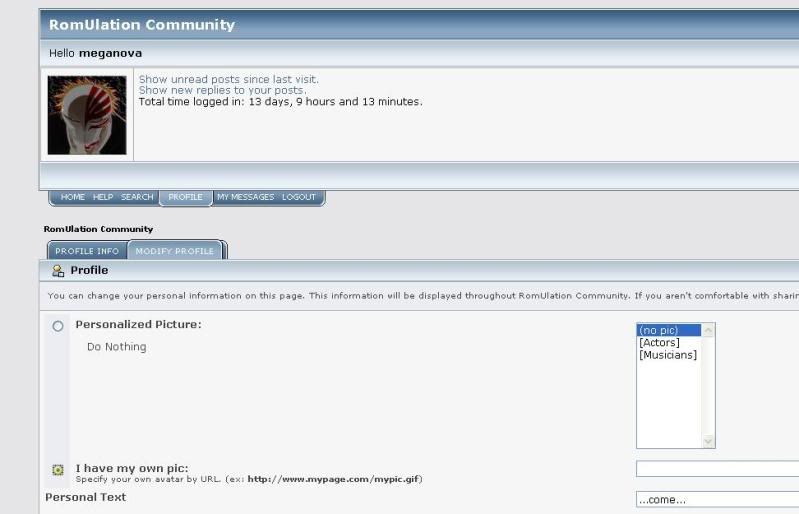
4)Copy the Direct Link from the site where you uploaded your picture.

5)Wait for it to be uploaded.The picture should appear after a while.

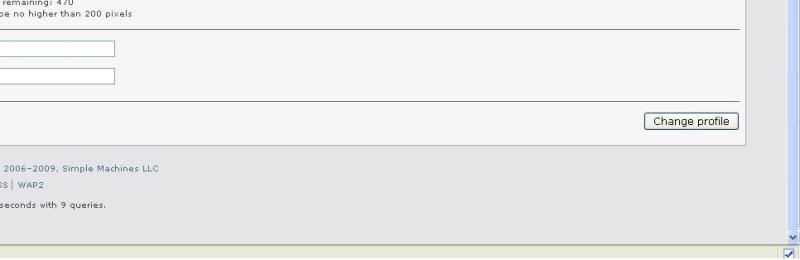
6)Click the Change Profile button at the bottom.
7)A message should appear confirm that you successfully changed your avatar
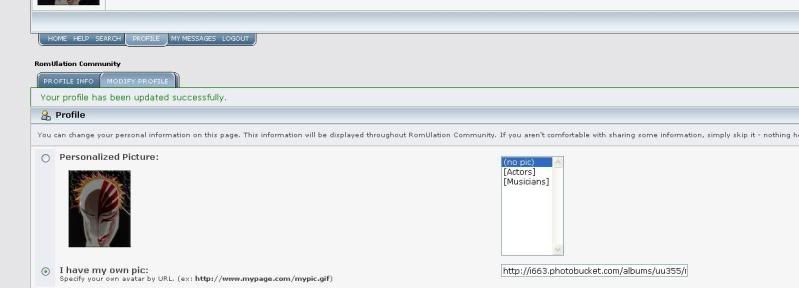
and..
sorry for the blurry image though.. :)
Hope that help...
There's actually a tutorial of this sort in the "Tutorials" section:https://www.romulation.org/forum/index.php?topic=11400.0
