F
wanted to know how to use the psx files cause when i downloaded and ran final fantasy origins.exe it put 3 files on my computer FF Origins.sub FF Origins.img and FF Origins.ccd. now i use the ePSXe v.1.6.0 emulator,and i am used to playing the ISO's that i have personally have copied from my own games. so what do I do with these 3 files?
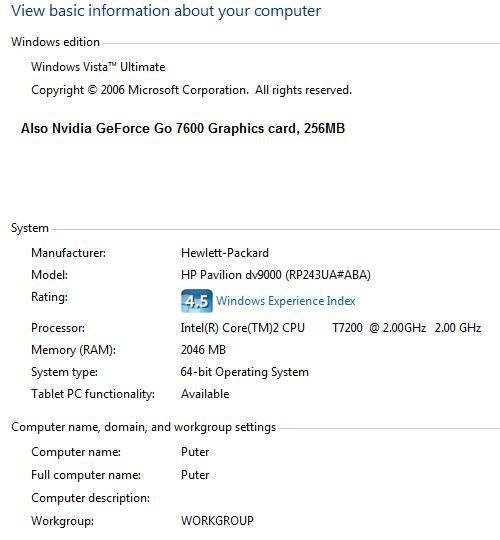
My computer Details are as follows:
Simply put, File --> Run ISO --> click on the game you want to play and hit open.
D
What you could do instead is save the .exe file. If I'm correct it is a PSX-EXE file and ePSXe can run those.
F
Reider · #2Simply put, File --> Run ISO --> click on the game you want to play and hit open.
I stated before i know how to run an ISO but i didn't understand the GAME.EXE cause i executed the EXE and it made the 3 additional files.
Heh, I must've misread it then :PMy apologies.You're supposed to use the .img file to play the game after they're decompressed. The other two files aren't really necessary unless you're planning to burn it to a disk. If you're looking to do that, there should be a guide in the tutorials section on how to do that if I recall.
D
You are supposed to use the EXE in ePSXe, if that is what you are using. Do not execute it, just open it in your PSX emulator. There should be an option called run PSX-EXE. Click that and select the exe file. ;)
S
No you're not, the .exe is a UHARC self-extracting archive, it has to be decompressed with and then the image file has to be run in the emulator.
M
much better if u will use psxfin just put it in cdimage folder then run the psx emulator click file then run/load there u have it! >:( :o
D
Boy, was I wrong. I'm kinda new at this. ::) Figures, since I'm used to ISO's or playing the game straight from the disk.
M
much better if u will use psxfin u can play those 3 file in that emulator. just put it in cdimage folder then play the emulator the file then insert cdimage then use ur game u want.........................................................enjoy!!!!!!!!!!!!!!!!!!!!!!!!!!!!!